Risk-First Diagrams Explained
In A Simple Scenario we used diagrams to show the risks we faced and the choices available. These are "Risk-First Diagrams"—a visual way of capturing the trade-offs we make on our projects. The purpose is to make explicit that these trade-offs are fundamentally about managing risk.
Let's break down how to read them.
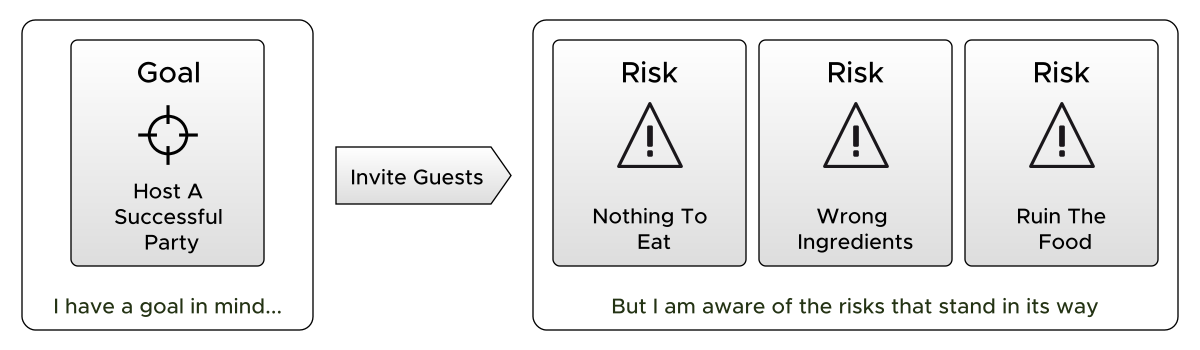
The diagram above is taken from the dinner party example: we want to host a successful party, but in doing so, we know there are Attendant Risks.
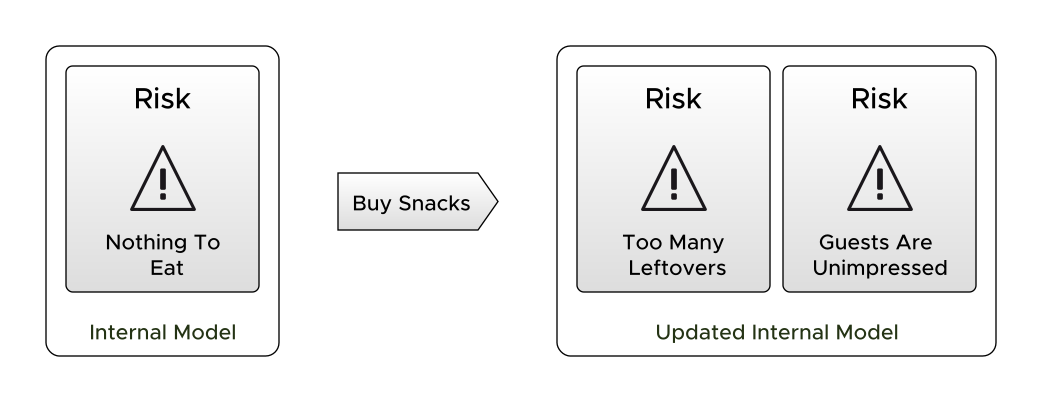
Here's another. In the diagram above we are dealing with the risk of not having enough food at the party by buying lots of snacks.
Interpreting Risk-First Diagrams
What’s going on in these diagrams? How should we interpret them? Let’s work left-to-right.
On The Left
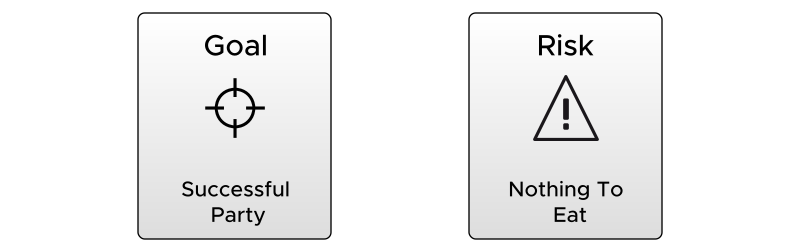
On the left in the first example we can see our goal, of having a successful party. This is the goal we want to reach, it's within our grasp to achieve this, if we only take the right actions.
Equally, we could have a risk that we wish to avoid, such as having nothing to eat at the party. To achieve that, we also need to take the right actions.
In The Middle

In the middle of a Risk-First diagram we see the actions you could take. In the diagram above, echoing the examples, they are "Hosting a Party" and "Buying Snacks". One is moving us towards the goal of "A Successful Party", the other, moving us away from the risk of "Not Enough Food".
On The Right
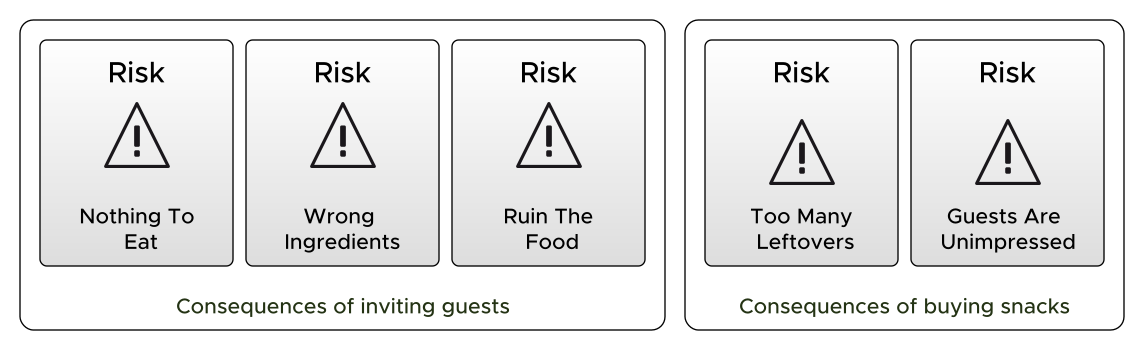
Nothing comes for free. On the right, you can see the consequence or outcome of the actions you've taken: Attendant Risks are the new risks you now have as a result of taking the action.
Hosting a dinner party opens you up to attendant risks like "Not Enough to Eat". As a result of that risk, we consider buying lots of snacks. As a result of that risk, we start to consider whether our guests will be impressed with that.
Thinking About Risk-First Diagrams
Risk-First diagrams show trade-offs. Whether you choose to take an action depends on whether the trade-off seems worthwhile. In our dinner party example, "buying snacks" trades the risk of "Not Enough to Eat" for the risks of "Too Many Leftovers" and "Guests Are Unimpressed."
This might seem obvious for dinner parties, but in software development these trade-offs matter enormously. Adding a new feature might trade off customer dissatisfaction against introducing security vulnerabilities. The diagram makes both sides visible.
Sometimes The Cure Is Worse Than The Disease
By Taking Action you might end up worse off than you started. Cutting your legs off would definitely cure your ingrown toenail—but that's not a sensible trade. We have to use judgement.
A Balance of Risk
Risk-First diagrams represent a balance of risk. Whether you take the action depends on your evaluation of this balance: are the risks on the left worse than the risks on the right?
Cause and Effect

Risk-First diagrams visualise cause and effect. In biological terms, this is the Stimulus-Response Model—or Stimulus-Response-Outcome, as shown above. The left side is the stimulus (what makes us act), the middle is the response (the action), and the right is the outcome.
We face many kinds of risks and attach different importance to them. Rationally, we should tackle the worst risks first and let lesser ones slide. The same applies to goals: pursue the most critical ones and accept that some won't get attention.
Functions

If you're a developer, you might prefer to think in terms of functional programming. We're transforming an input condition (left) into an output condition (right) by way of a function (the action in the middle).
Other Elements
There are a few other bits and pieces that crop up in these diagrams that we should take care of:
Containers For Internal Models
The risks on the left and right are contained in rounded-boxes. That's because risks live in our Internal Models - they're not real-world things you can reach out and touch. They're contained in things like brains, spreadsheets, reports and programs.
Example: Blaming Others
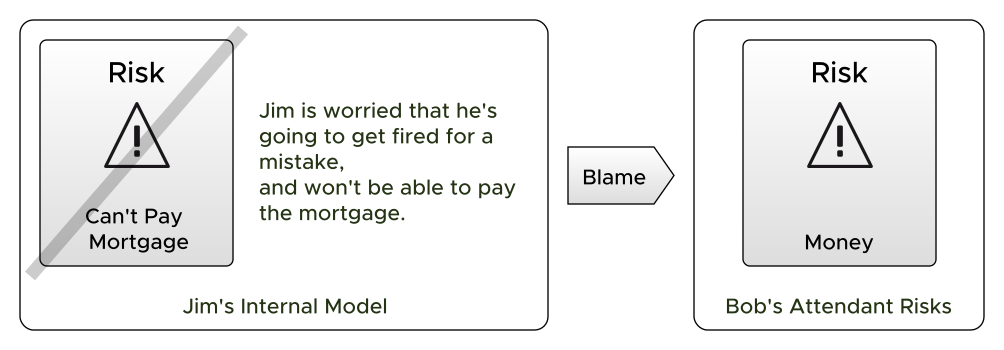
In the above diagram, you can see how Jim is worried about his job security, probably because he's made a mistake at work. Therefore, in his Internal Model he has Funding Risks, i.e. he's worried about money.
What does he do? His Action is to blame Bob. If all goes according to plan, Jim has dealt with his risk and now Bob has the problems instead.
Mitigated and Hidden Risk
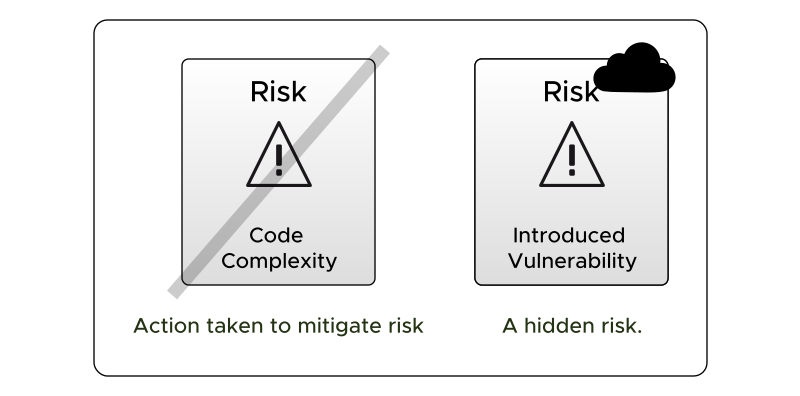
The diagram above shows two other marks we use quite commonly: we put a "strike" through a risk to show that it's been dealt with in some way and the "cloud" icon denotes Hidden Risks- those unknown unknowns that we couldn't have predicted in advance.
Artifacts
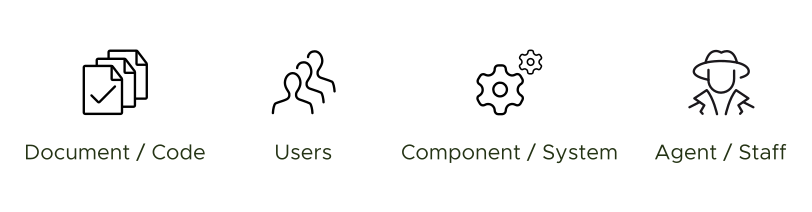
Sometimes, we add artifacts to Risk-First diagrams. That is, real-world things such as people, documents, code, servers and so on. This is because as well as changing Internal Models, Taking Action will produce real results and consume inputs in order to do so. So, it's sometimes helpful to include these on the diagram. Some examples are shown in the diagram above.
Causation and Correlation

Finally, we might sometimes wish to show that one risk is correlated or caused by another. In the diagram above we can see delays being caused by lack of staff, for example. (Note that often in the real world things are rarely so clear-cut).
Summary
| Part | Position | Contains |
|---|---|---|
| Stimulus | Left | Risks, Goals (in Internal Models), Artifacts |
| Response | Middle | Actions being taken |
| Outcome | Right | New Attendant Risks, Hidden Risks, New Artifacts |
The key insight: every action is a trade-off. Risk-First diagrams make that trade-off visible and help us reason about whether it's worth making.
Next
Now let's apply these ideas to software. Instead of one person organising a dinner party, we'll have a team. Our Internal Model won't just exist in our heads—it'll be spread across code, documents, tickets, and conversations.
On to Development Process...